Trending Now
Popular Products
Animi Quest - Personalized Interactive Greeting Card - Halloween Spooky Town
Send a Spooky Halloween Adventure They'll Never Forget Animi Quest: Halloween Spooky Town Adventure turns your Halloween greeting into a creepy crawl through the night. Your recipient follows a pumpkin-lit path through a haunted town, unlocking 5 spooky stops (The Doomgate, the Abandoned Cemetery,...
- $12.00
$15.00- $12.00
- Unit price
- per
Thank You Candle - Personalized Scented Soy Wax Candle
Hand-poured 9 oz soy candles in clear glass jars with a white metal lid - simple, natural, and quietly elegant. Each candle uses 100% natural soy wax and a cotton wick, giving a clean, long burn (about 50–60 hours) and a gentle, consistent scent...
- From $26.00
- From $26.00
- Unit price
- per
Station Zero Clock
A clean, modern wall clock that brings quiet precision to your living space. The minimalist dial with bold black markers and slender hands reads easily from across the room, while the matte frame (natural wood, black) let the clock blend with rustic, Scandinavian, or...
- $66.00
- $66.00
- Unit price
- per
- Black Base
Trending Now
Popular Products
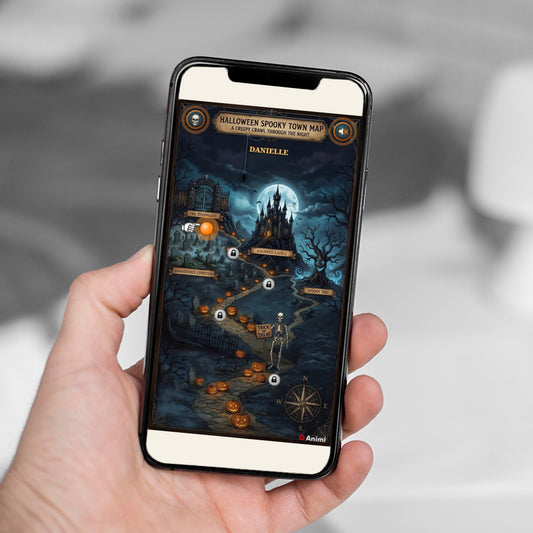

Animi Quest - Personalized Interactive Greeting Card - Halloween Spooky Town
- $12.00
$15.00- $12.00
- Unit price
- per
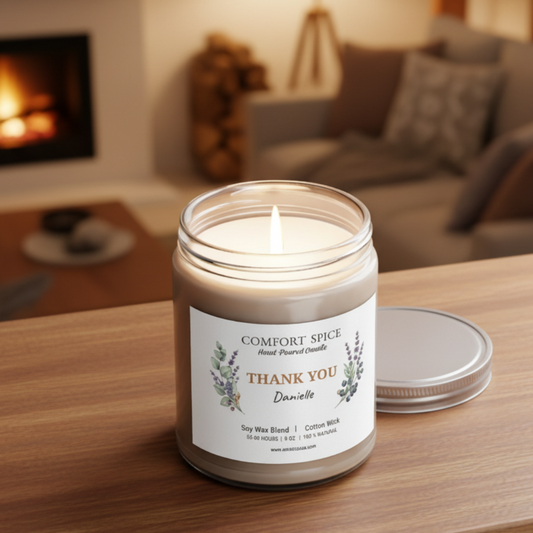

Thank You Candle - Personalized Scented Soy Wax Candle
- From $26.00
- From $26.00
- Unit price
- per
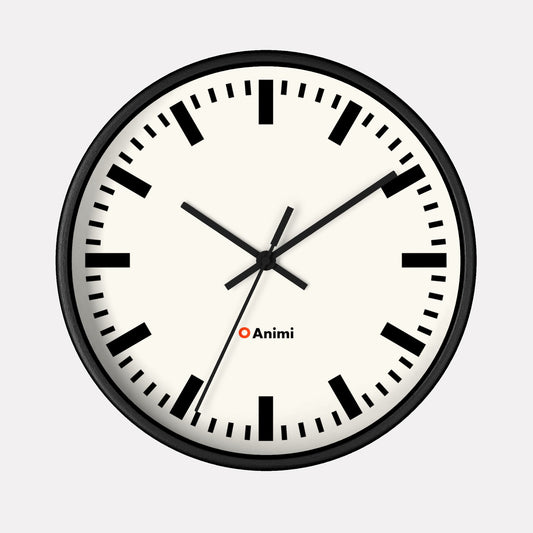
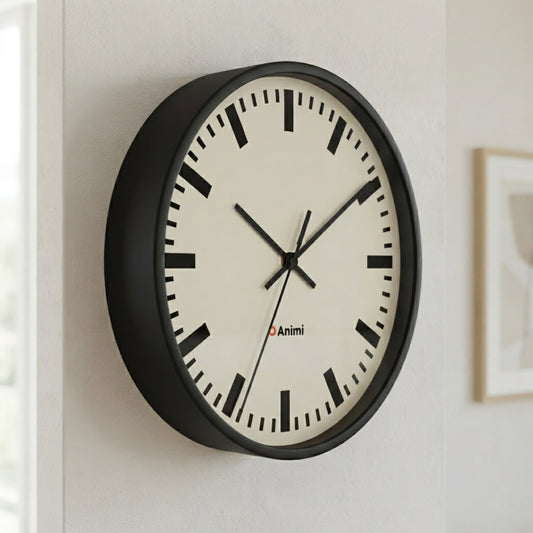
Station Zero Clock
- $66.00
- $66.00
- Unit price
- per
- Black Base







Animi Quest - Personalized Interactive Greeting Card - The Lost City
- $12.00
$15.00- $12.00
- Unit price
- per
Share Immediately
Interactive Features
Designed & Created by Animi Causa
Send Them on an Adventure to the Lost City
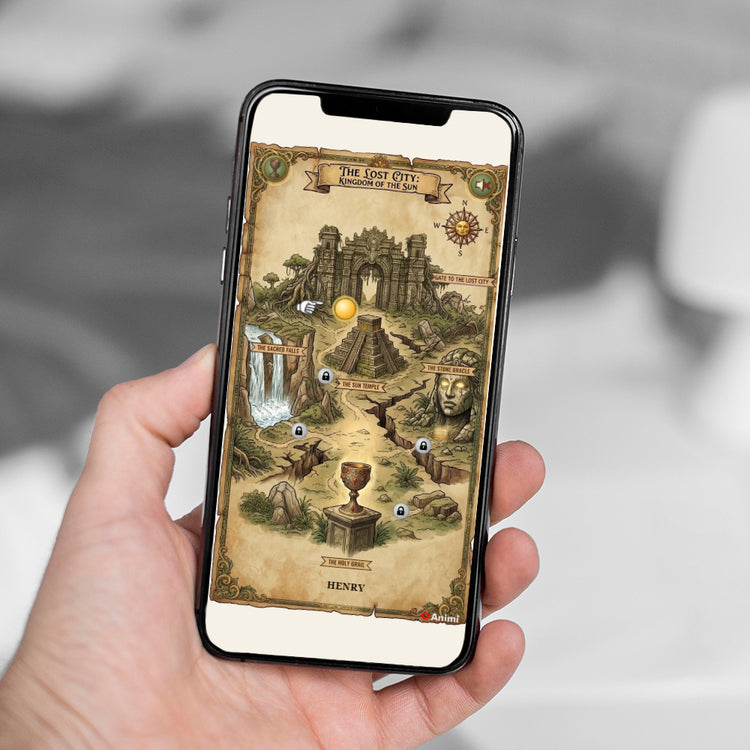
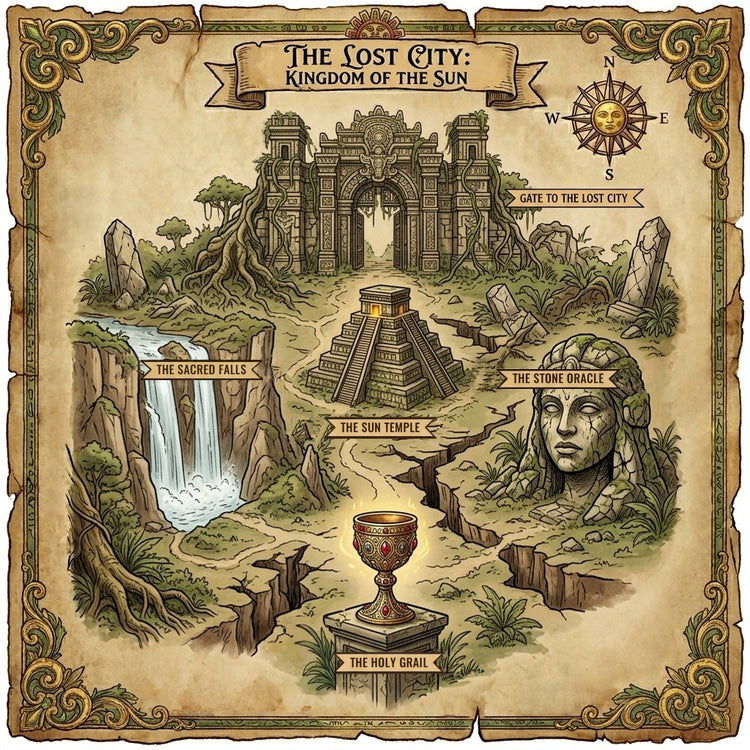
Animi Quest: The Lost City, Kingdom of the Sun turns your greeting into a real treasure hunt. Your recipient follows an ancient map deep into the jungle, unlocking 5 legendary places (the Gate to the Lost City, the Sun Temple, the Sacred Falls, the Stone Oracle and the Holy Grail), each one revealing your photos, videos, messages or a memory game. It's all set to music and animation, and the quest ends when the shining Holy Grail is finally found.
- 100% digital, delivered instantly: no shipping, no printing. Personalize it, check out, and get a private link to share by email, text, WhatsApp or social media.
- Opens anywhere: phone, tablet or computer, no app or download needed.
- Perfect for every occasion: birthdays, anniversaries, graduations, a thank you, or just because. Ideal for explorers, adventure lovers and anyone who deserves a hero's welcome.
A Gift Worth Discovering
No shipping fees, no delivery delays, no last-minute panic. Create and send a personalized, interactive adventure in minutes, far more exciting than an ordinary e-card. Every location they unlock brings them one step closer to the greatest treasure of all: your message.


How It Works
Create a one-of-a-kind card in minutes - no design skills, no app to download.

Personalize
Enter your recipient's name - it's woven through the whole adventure.

Fill the Map
Add a message, photo album, video or memory game to each of the 5 locations.

Preview & Add
See exactly what they'll see, then add your finished card to the cart.

Send the Link
Share by text, email or WhatsApp - they unlock it on any device.
Why You'll Love It
Long-Term Access
One payment, no subscriptions. Won't auto-expire or disappear.
Truly Personal
Your photos, words and memories - not a template with a name swapped in.
Any Device, No App
Opens instantly in any browser. Nothing to install for you or for them.
Delivered Instantly
No shipping, no waiting - perfect even for last-minute gifts.
Frequently Asked Questions
What makes Animi Quest cards special?
- Fully personalized: your recipient's name is woven into the experience, and every location on the map of the Lost City holds content you choose.
- 5 interactive locations to unlock (the Gate to the Lost City, the Sun Temple, the Sacred Falls, the Stone Oracle and the Holy Grail) - a personal text note, a photo album, a video, or a photo memory-matching game.
- Immersive by design: background music, sound effects, animations, and a guided hand that shows them where to tap.
- Grand finale: after all 5 locations are unlocked, the adventure ends with the shining Holy Grail. If one location holds the memory game, winning it has its own celebration too: a "You Made It!" celebration with fireworks.
- Works everywhere: mobile, tablet, and desktop - and it's fully shareable so others can experience the adventure too.
Can I make a card for more than one person?
Of course - there's no limit to how many Animi Quest cards you can create. Each one is built and personalized on its own, so simply head back to the product page and start a new card for every recipient. Every card gets its own name, content, and private link, so nothing overlaps between them.
How do I build my card?
Creating your Animi Quest card takes just a few minutes in our easy 3-step editor - no design skills needed:
- Personalize. Enter the name of the person you're sending it to, and your own. Their name appears throughout the adventure.
- Add your content. The map of the Lost City already has 5 locations marked for you - the spots your recipient will unlock, one by one. For each location, choose what to reveal: a text note, a photo album, a video (a YouTube or Vimeo link, or a short clip of your own), or a memory game. You can keep our default order of content - we've even pre-written some messages for you - or make it your own: simply delete our text and write your own notes.
- Preview. See the full experience exactly as they will, then add it to cart and check out. Your private, shareable card link is ready to send.
Can I preview my card before I finish it?
Yes - the Preview step of the editor shows a live preview that looks exactly like what your recipient will see when they open the link: the map, every location's content, and the animations. Take your time there to get it just right, since a card can no longer be edited once it's been added to your cart.
How do I send my card?
Because Animi Quest is a digital greeting card delivered online, sending it is instant and effortless:
- After checkout, your unique card link appears on your order confirmation page and in your customer account under order details.
- Copy the link and share it however you like - email, text message, WhatsApp, Messenger, or any social platform.
- Your recipient clicks the link and the interactive adventure opens right in their browser - no app, no download, no waiting for delivery.
- They can re-open and replay the card anytime, and even share it onward so friends and family can enjoy it too.
Tip: you can preview your card before you add it to cart, so you can get it just right before you send the final version. Please note the card can't be edited after it's added to cart.
How do I share my Ecard?
Once you check out, you'll find a Share button on the order confirmation (thank you) page and in your account under that order - tap it to instantly copy a private link, complete with a preview image, to your clipboard.
- WhatsApp and Facebook: these have their own built-in share option, so tapping Share can hand the link straight to them with the preview image attached.
- Instagram, TikTok, X, or anywhere else: just paste the copied link into your message, caption, or DM - there's no separate share integration for these, but the link works the same everywhere.
Your recipient just taps the link to open the adventure; they don't need an account or an app, and they're free to pass it along so others can enjoy it too.
You May Also Like
- $12.00
$15.00- $12.00
- Unit price
- per
- $12.00
$15.00- $12.00
- Unit price
- per
- $12.00
$15.00- $12.00
- Unit price
- per
- $12.00
$15.00- $12.00
- Unit price
- per
- $12.00
$15.00- $12.00
- Unit price
- per
- $12.00
$15.00- $12.00
- Unit price
- per
- $12.00
$15.00- $12.00
- Unit price
- per
- $12.00
$15.00- $12.00
- Unit price
- per
- $12.00
$15.00- $12.00
- Unit price
- per
- $12.00
$15.00- $12.00
- Unit price
- per
Recently Viewed Products
- $12.00
$15.00- $12.00
- Unit price
- per
- $12.00
$15.00- $12.00
- Unit price
- per
- $12.00
$15.00- $12.00
- Unit price
- per
- $12.00
$15.00- $12.00
- Unit price
- per
- $12.00
$15.00- $12.00
- Unit price
- per
- $12.00
$15.00- $12.00
- Unit price
- per
- $12.00
$15.00- $12.00
- Unit price
- per
- $12.00
$15.00- $12.00
- Unit price
- per
- $12.00
$15.00- $12.00
- Unit price
- per
- $12.00
$15.00- $12.00
- Unit price
- per
- Choosing a selection results in a full page refresh.